




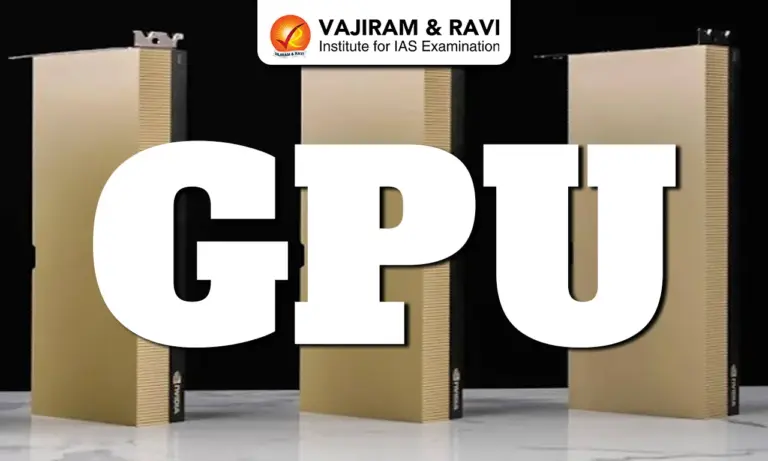
GPU Latest News
- In 1999, Nvidia introduced the GeForce 256 as the world’s first GPU, designed primarily to enhance video game graphics and performance.
- Over the past 25 years, GPUs have evolved far beyond gaming, becoming essential components of the digital economy and powering core technologies such as artificial intelligence and large-scale computing.
GPU: Understanding the Basics
- A Graphics Processing Unit (GPU) is a specialised processor designed to perform many simple calculations simultaneously.
- Unlike a Central Processing Unit (CPU), which handles fewer but more complex tasks quickly and efficiently, a GPU excels at parallel processing—handling large volumes of repetitive computations at once.
Why GPUs Are Ideal for Graphics
- Rendering images on a screen requires updating millions of pixels multiple times per second.
- For example, a 1920×1080 display has over 2 million pixels per frame, and at 60 frames per second, more than 120 million pixel updates are required every second.
- Each pixel’s colour depends on lighting, texture, shadows, and object properties.
- Since the same calculations are repeated across pixels, GPUs are better suited than CPUs for this kind of workload.
Parallel Processing Made Simple
- A GPU can be imagined as a large team of workers, each handling a small portion of a task simultaneously.
- While each GPU core is less powerful than a CPU core, the GPU contains hundreds or thousands of such cores.
- This allows it to process large, repetitive workloads far more quickly than a CPU working alone.




How a GPU Works: The Rendering Process Explained
- When a video game displays a scene, it sends the GPU objects built from triangles.
- The GPU processes them through a four-step rendering pipeline to produce the final image.
- Vertex Processing – The GPU calculates where each triangle should appear on the screen. Using mathematical operations with matrices, it rotates, moves, and adjusts objects according to the camera’s perspective.
- Rasterisation – Once positioned, the GPU determines which screen pixels each triangle covers. This step converts geometric shapes into pixel-level data ready for colouring.
- Fragment (Pixel) Shading – For each pixel fragment, the GPU calculates the final colour. It applies textures, lighting, shadows, reflections, and other visual effects using small programs called shaders.
- Frame Buffer Output – The computed pixel colours are written to memory known as the frame buffer. The display system then reads this buffer to render the final image on the screen.
Parallel Processing and Memory Design
- GPUs execute shader programs simultaneously across many vertices and pixels.
- To handle massive data flows—such as 3D models and textures—they use dedicated high-bandwidth memory called VRAM (video RAM).
- Smaller, faster caches and shared memory structures help prevent bottlenecks.
- Because GPUs excel at repeating similar calculations across large datasets, they are widely used beyond graphics in machine learning, image processing, and scientific simulations.
Where Is the GPU Located
- The GPU as a Silicon Chip – A GPU is built on a silicon die — a flat piece of semiconductor material measured in square millimetres. Like a CPU, it is a physical chip mounted inside a computing device.
- Dedicated Graphics Card Setup – In systems with a separate graphics card, the GPU die sits beneath a metal heat sink at the centre of the card. It is surrounded by VRAM chips and connects to the motherboard through a high-speed interface.
- Integrated Graphics in Modern Devices – In laptops and smartphones, the GPU is often integrated with the CPU on the same die. This design is common in modern systems-on-a-chip (SoCs), which combine multiple components that were previously separate into a single package.
GPUs Vs CPUs
- GPUs are not fundamentally smaller than CPUs. Both use similar silicon transistors and advanced fabrication nodes (e.g., 3–5 nm).
- The difference lies in microarchitecture — how transistors are organised and used.
- CPUs dedicate more die area to complex control logic, cache, and decision-making features.
- GPUs allocate more space to repeated compute units and wide data paths, enabling parallel processing.
How Much Energy Do GPUs Consume
- Energy During Training – In a scenario using four Nvidia A100 GPUs (250 W each) for 12 hours of neural network training, total energy consumption would be about 12 kWh, as the GPUs run near full capacity.
- Energy During Inference – Once deployed, if one GPU handles predictions, energy use drops to roughly 2 kWh for inference.
- Total System Consumption – Including additional server components (CPU, RAM, storage, cooling), total daily power use can reach around 6 kWh when running continuously, accounting for 30–60% overhead.
- Real-World Comparison – This is comparable to running an air conditioner for 4–6 hours, a water heater for 3 hours, or 60 LED bulbs for 10 hours daily.
Source: TH

 Last updated on March, 2026
→ UPSC Final Result 2025 is now out.
→ UPSC has released UPSC Toppers List 2025 with the Civil Services final result on its official website.
→ Anuj Agnihotri secured AIR 1 in the UPSC Civil Services Examination 2025.
→ UPSC Marksheet 2025 is now out.
→ UPSC Notification 2026 & UPSC IFoS Notification 2026 is now out on the official website at upsconline.nic.in.
→ UPSC Calendar 2026 has been released.
→ Check out the latest UPSC Syllabus 2026 here.
→ UPSC Prelims 2026 will be conducted on 24th May, 2026 & UPSC Mains 2026 will be conducted on 21st August 2026.
→ The UPSC Selection Process is of 3 stages-Prelims, Mains and Interview.
→ Prepare effectively with Vajiram & Ravi’s UPSC Prelims Test Series 2026 featuring full-length mock tests, detailed solutions, and performance analysis.
→ Enroll in Vajiram & Ravi’s UPSC Mains Test Series 2026 for structured answer writing practice, expert evaluation, and exam-oriented feedback.
→ Join Vajiram & Ravi’s Best UPSC Mentorship Program for personalized guidance, strategy planning, and one-to-one support from experienced mentors.
→ Shakti Dubey secures AIR 1 in UPSC CSE Exam 2024.
→ Also check Best UPSC Coaching in India
GPU FAQs
Q1. What is a GPU?+
Q2. How does a Graphics Processing Unit (GPU) differ from a CPU?+
Q3. How does a Graphics Processing Unit (GPU) render images?+
Q4. Where is a Graphics Processing Unit (GPU) located in devices?+
Q5. How much energy does a Graphics Processing Unit (GPU) consume?+
Tags: GPU mains articles upsc current affairs upsc mains current affairs