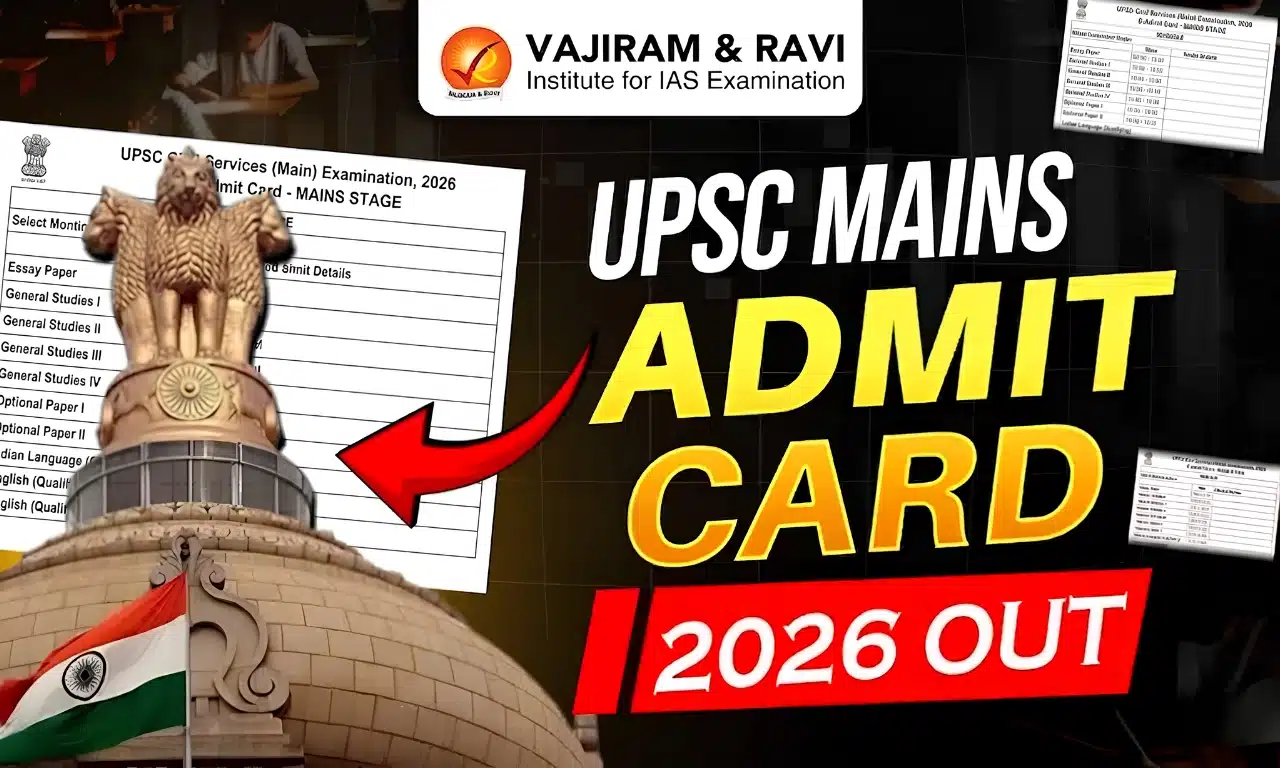
UPSC Mains 2026 Admit Card Out
The UPSC Civil Services Mains Admit Card 2026 has been released on the official UPSC portal at upsc.gov.in. Candidates should download their e-Admit Card as it is released and verify all the details before the examination.
UPSC Mains 2026 Admit Card Overview
The key highlights related to the UPSC Mains Admit Card 2026 have been tabulated below based on the data provided on the official UPSC Portal.
| UPSC Mains 2026 Admit Card Overview | |
| Particulars | Details |
|
Exam Name |
UPSC Civil Services (Main) Examination 2026 |
|
Conducting Body |
Union Public Service Commission (UPSC) |
|
UPSC Mains Admit Card Status |
Released |
|
Admit Card Release Date 2026 |
Released on 14th August, 2026 |
|
UPSC Mains Exam Date 2026 |
21 August 2026 to 30 August 2026 |
|
Official Website |
upsc.gov.in or upsconline.nic.in |


UPSC Mains Admit Card 2026 Download PDF
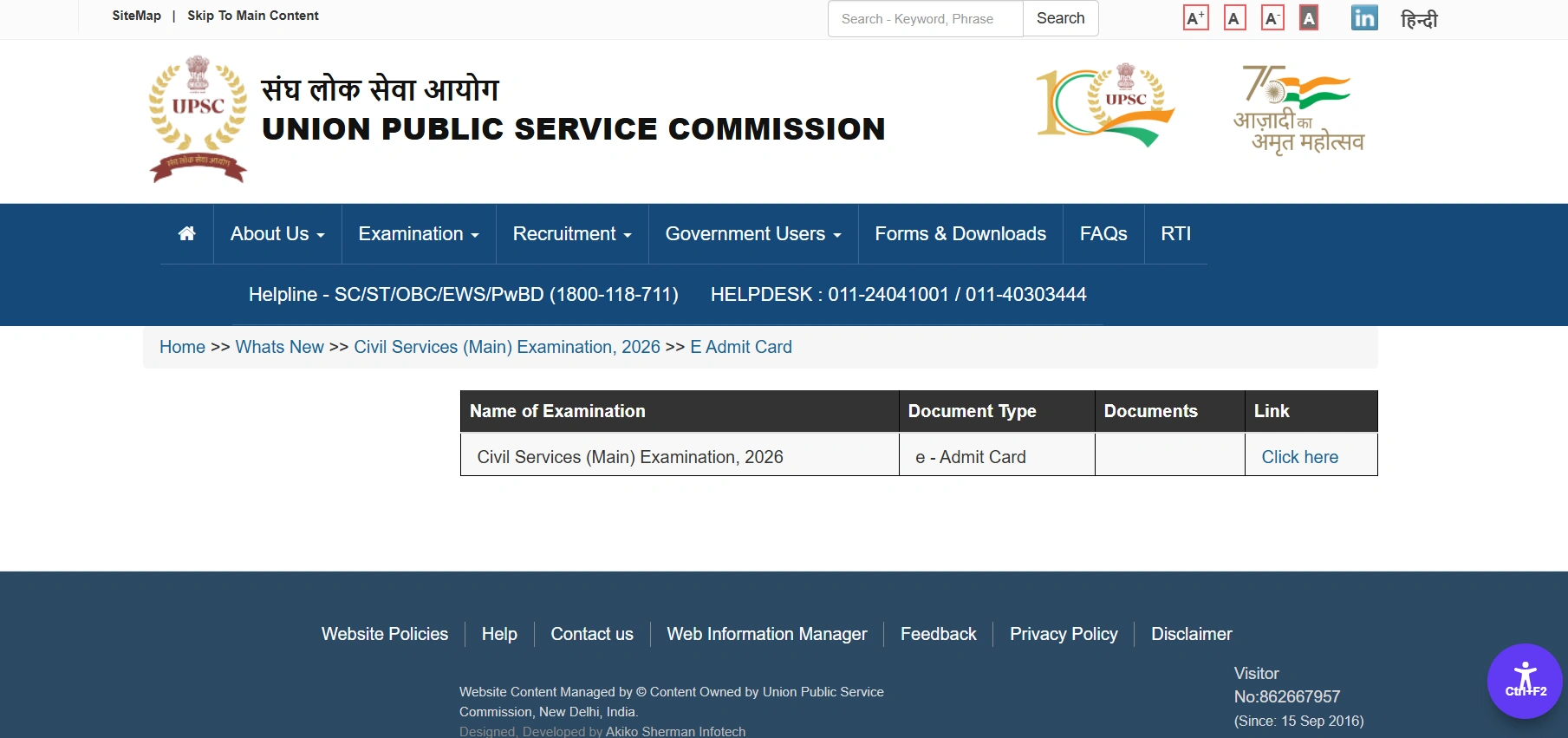
UPSC Mains Admit Card 2026 PDF is available for download on the official UPSC website. A direct download link to download the UPSC Mains Hall Ticket 2026 is available as the admit card is officially released by the Union Public Service Commission. Candidates should download the e-Admit Card promptly and keep multiple printed copies for the examination.
How to Download UPSC Mains Hall Ticket 2026?
Candidates can download the UPSC Mains Admit Card 2026 online from the official UPSC website by following these simple steps.
- Visit the official UPSC website at upsc.gov.in.
- Click on the "e-Admit Card" link and select Civil Services (Main) Examination 2026.
- Enter your Registration ID/Roll Number, Date of Birth, and the Captcha Code.
- Click on "Submit" to view your UPSC Mains Hall Ticket 2026.
- Verify all the details, download the admit card PDF, and take 2-3 printouts for the examination.
- Carry the printed admit card along with a valid original photo ID proof to the examination centre.
UPSC Mains 2026 Exam Date
The UPSC Mains 2026 Exam will be held on August 21, 22, 23, 29, and 30, 2026. The examination will be conducted in two shifts each day, with the forenoon session from 9:00 AM to 12:00 Noon and the afternoon session from 2:30 PM to 5:30 PM. Candidates can check the detailed exam schedule and official notification on the Union Public Service Commission portal.
Read About UPSC Mains 2026 Exam Date & Timing
UPSC Mains 2026 Exam Pattern
The UPSC Civil Services (Main) Examination 2026 consists of nine papers, carrying a combined total of 1,750 marks. Two of the nine papers; Paper A (Indian Language) and Paper B (English) are qualifying in nature and their marks are not counted toward the final merit ranking. The remaining seven papers (Essay, and General Studies I–IV, plus the two Optional Subject papers) are counted for merit. Candidates who qualify the Mains examination are called for the Personality Test (Interview), which carries 275 marks. The final. UPSC merit list is prepared based on the combined marks scored in the seven merit-counting Mains papers and the Personality Test, a total of 2,025 marks.
| UPSC Mains 2026 Paper | Nature | Marks |
|---|---|---|
| Paper A – Indian Language | Qualifying | 300 |
| Paper B – English | Qualifying | 300 |
| Paper I – Essay | Merit-counting | 250 |
| Paper II – General Studies I | Merit-counting | 250 |
| Paper III – General Studies II | Merit-counting | 250 |
| Paper IV – General Studies III | Merit-counting | 250 |
| Paper V – General Studies IV | Merit-counting | 250 |
| Paper VI – Optional Subject I | Merit-counting | 250 |
| Paper VII – Optional Subject II | Merit-counting | 250 |
| Total (Merit) | - | 1,750 |
| Personality Test/Interview | Merit-counting | 275 |
| Grand Total | - | 2,025 |
UPSC Mains 2026 Exam Day Guidelines
Candidates appearing for the UPSC Mains 2026 Examination should follow all instructions mentioned on the e-Admit Card and reach the examination centre on time with the required documents.
- Carry a physical printed copy of the e-Admit Card to the examination centre.
- Bring an original and valid photo ID proof, such as an Aadhaar Card, PAN Card, Passport, or Driving Licence, as applicable.
- Make sure the name and details on the ID proof match the information provided in the application.
- Reach the examination venue well before the reporting time mentioned on the e-Admit Card.
- Check the examination centre address and route in advance to avoid last-minute delays.
- Carefully follow all instructions given by the examination authorities at the centre.
- Do not carry any prohibited items or unauthorised materials into the examination hall.
Details Mentioned on UPSC Mains Admit Card 2026
The UPSC Mains Admit Card 2026 contains important information related to the candidate and the examination. Candidates should carefully verify all the details after downloading the admit card and report any discrepancies to UPSC immediately.
- Candidate's Name
- Roll Number
- Registration ID
- Photograph and Signature
- Date of Birth
- Category
- Civil Services (Main) Examination 2026
- Examination Date and Session
- Reporting Time
- Examination Centre Name
- Examination Centre Address
- Centre Code
- Important Exam Day Instructions
Documents to Carry to the UPSC Mains Exam Centre
Along with the printed e-Admit Card, candidates must carry a valid original photo ID proof to the examination hall. Entry will not be
permitted without both documents.
- Printed copy of the UPSC Mains e-Admit Card 2026
- One valid original photo ID: Aadhaar Card, Passport, PAN Card, Voter ID, or Driving Licence
- A photocopy of the same photo ID, in addition to the original
- Candidates applying under reserved categories (SC/ST/OBC/EWS/PwBD) should carry the original category or
disability certificate - Candidates who have changed their name through legal process should carry the relevant gazette notification or supporting document
- 2–3 additional printed copies of the admit card are recommended, kept separately in case one is misplaced or damaged
Prohibited Items at UPSC Mains 2026 Exam Centre
UPSC Mains Exam Centre List
The UPSC Mains Examination 2026 will be conducted at 27 examination centres across India. The allotted UPSC Mains Exam Centre 2026 will be mentioned on the candidate's e-Admit Card.
| UPSC Mains Exam Centre List | |||
| S. No. | Exam Centre | S. No. | Exam Centre |
|
1 |
Ahmedabad |
15 |
Jammu |
|
2 |
Aizawl |
16 |
Kolkata |
|
3 |
Bengaluru |
17 |
Lucknow |
|
4 |
Bhopal |
18 |
Mumbai |
|
5 |
Bhubaneswar |
19 |
Patna |
|
6 |
Chandigarh |
20 |
Prayagraj (Allahabad) |
|
7 |
Chennai |
21 |
Raipur |
|
8 |
Cuttack |
22 |
Ranchi |
|
9 |
Dehradun |
23 |
Shillong |
|
10 |
Delhi |
24 |
Shimla |
|
11 |
Dispur (Guwahati) |
25 |
Srinagar |
|
12 |
Hyderabad |
26 |
Thiruvananthapuram |
|
13 |
Imphal |
27 |
Vijayawada |
|
14 |
Jaipur |
- |
- |

 Last updated on Sep, 2026
→ UPSC 2027 Notification will be released on 13 January 2027 at upsconline.nic.in.
→ Asian Games 2026 are being held in Aichi-Nagoya, Japan, from 19 September to 4 October.
→ Check out the latest UPSC Syllabus here.
→ Download UPSC Model Answers for Mains 2026
→ UPSC Mains Question Paper 2026 is out now for Essay & GS Paper 1, 2, 3 & 4.
→ UPSC Calendar 2027 has been released.
→ Enroll in Vajiram & Ravi’s UPSC Mains Test Series 2027 for structured answer writing practice, expert evaluation, and exam-oriented feedback.
→ Join Vajiram & Ravi’s UPSC Mentorship Program 2027 for personalized guidance, strategy planning, and one-to-one support from experienced mentors.
→ Go through the UPSC Mains Previous Year Papers to enhance your preparation.
→ UPSC has released UPSC Toppers List 2025 with the Civil Services final result on its official website.
→ Also check Best UPSC Coaching in India
UPSC Mains Admit Card 2026 FAQs
Q1. When will the UPSC Mains Admit Card 2026 be released?+
Q2. Where can I download the UPSC Mains Admit Card 2026?+
Q3. What credentials are required to download the UPSC Mains Admit Card 2026?+
Q4. Is it mandatory to carry the UPSC Mains Admit Card to the examination centre?+
Q5. What should I do if there is an error on my UPSC Mains Admit Card 2026?+
Q6. What are the UPSC Mains Exam Dates 2026?+
Q7. Can I change my UPSC Mains Exam Centre after the admit card is issued?+
Tags: UPSC upsc admit card upsc admit card 2026 upsc mains admit card upsc mains admit card 2026 upsc mains admit card 2026 out