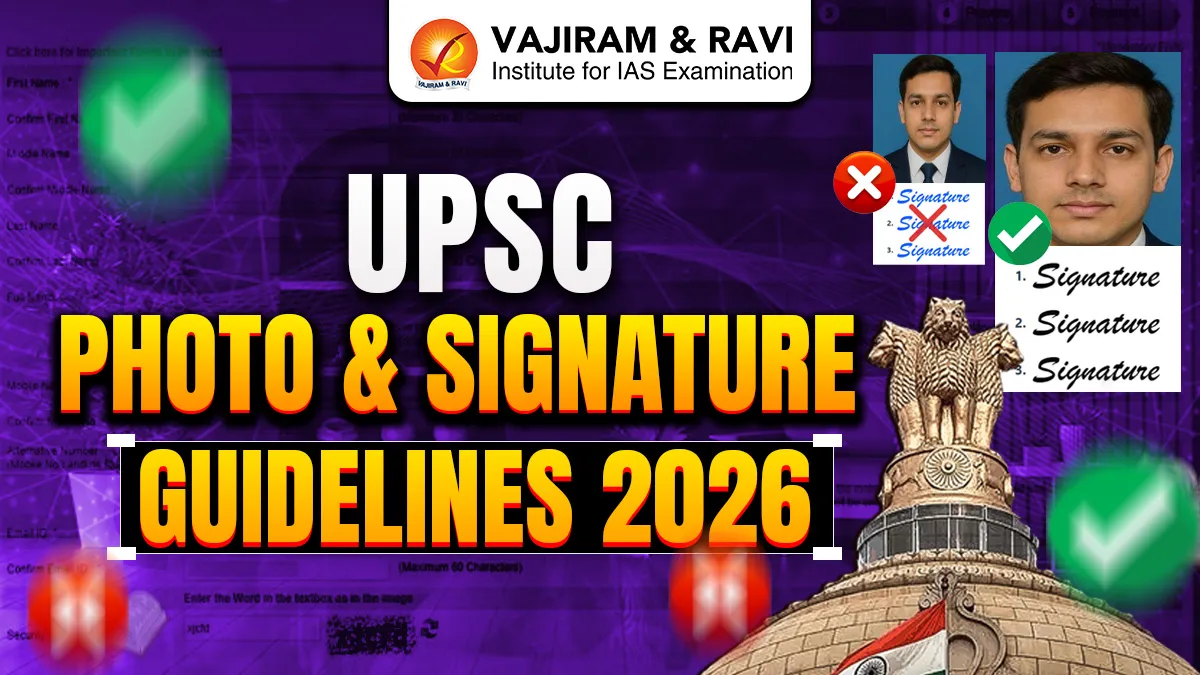
The UPSC Photo and Signature Guidelines 2026 have been officially released along with the Civil Services Examination (CSE) notification on the official website upsconline.nic.in. Candidates who wish to appear in the UPSC CSE 2026 must complete the online application process through upsconline.nic.in by following the correct document upload rules.
Uploading the photograph and signature in the prescribed format is extremely important. Any mistake in image size, format, or clarity can lead to rejection of the UPSC application form. The Commission strictly verifies these documents during exam verification and document authentication.
This article explains the UPSC photo size, signature resize rules, upload process, live photo capture and required documents for UPSC Application Form 2026.
Also Check: UPSC Notification 2026
UPSC Photo Size & Format Requirements 2026
Candidates must follow the prescribed image specifications strictly. Failure to follow these guidelines may result in application rejection. The UPSC Photo Size & Format Requirements 2026 have been tabulated below.
| UPSC Photo Size & Format Requirements 2026 | |
|
Requirement |
Specification |
|
File Format |
JPG Only |
|
File Size |
20 KB - 200 KB |
|
Background |
Clear |
|
Visibility |
Full Face Clearly Visible |
Turn Preparation into Selection – Register Today for Vajiram & Ravi UPSC Prelims Test Series 2026!
Dos & Don’ts While Uploading Photographs
Candidates must upload their photograph carefully as per UPSC specifications to ensure a successful application submission and identity verification. Any mistake in photo clarity, background, or format may lead to rejection of the application form.


Dos
- Use a colour photograph in JPG format between 20 KB and 200 KB, saved with the filename ‘photo’.
- Ensure your face covers around 75% (three-fourths) of the photograph.
- Maintain a plain white background for the photograph.
- Upload a front-facing photograph with the head centered and both ears clearly visible.
- Keep eyes open and facial edges clearly visible.
- Maintain a natural facial expression without smiling, frowning, or raising eyebrows.
Don’ts
- Do not upload photographs with a dark background, uniform dress, or sunglasses/coloured glasses.
- Avoid photographs with shadows on the face or background.
- Do not allow hair to cover the eyes, and avoid glare on spectacles.
- Do not upload a signed or digitally altered photograph.


UPSC Photo Guidelines 2026
Candidates must upload a recent passport-size photograph while filling the application form. This photograph will be used for identity verification at the exam centre and document verification stage.
Photograph Upload Instructions
- Upload only JPG format image.
- The photograph must be recent and formal.
- The face should be clearly visible with a neutral expression.
- Background must be plain white without shadows or designs.
- Face must be centered and properly aligned.
- Avoid accessories or headgear except religious coverings.
- Do not upload blurred or low-quality photographs.
Also Check: UPSC Big Update Regarding Correction Window
UPSC Signature Size & Format Requirements 2026
Candidates must ensure their signature matches the one they will use in exam documents.
| UPSC Signature Size & Format Requirements 2026 | |
|
Requirement |
Specification |
|
File Format |
JPG Only |
|
File Size |
20 KB - 100 KB |
|
Pixel Dimensions |
350 - 500 pixels |
|
Background |
Plain White |
|
Ink Colour |
Black Ink Only |
UPSC Signature Guidelines 2026 (Triple Signature) Instructions
Candidates must carefully follow the UPSC Signature Guidelines 2026 while filling the UPSC Application Form 2026, as incorrect or unclear signatures may lead to rejection of the application.
- Candidates must sign their own signature three times vertically (one below the other) on a plain white sheet using a black ink pen.
- Maintain proper spacing between each signature so that all three signatures are clearly visible.
- Scan all three signatures together and save them in one single image file.
Signature Image Quality Requirements
The scanned signature image must follow these quality standards:
- The image should be clear, sharp, and properly lit, without blur or darkness.
- The image must contain exactly three signatures.
- Signatures should be arranged vertically in proper order.
- The image must be correctly oriented and not rotated or upside down.
- The signatures must be taken on plain white paper without lines or colour background.
File Format and Size Requirements
- Save the signature file in JPG format using the filename ‘signature’.
- Upload the scanned image containing all three signatures together.
- Ensure the file meets the required specifications:
- File Size: 20 KB to 100 KB
- Image Dimensions: 350 to 500 pixels
Capture of Live Photograph in UPSC Apply Online 2026
UPSC has introduced a live photo capture option in the Common Application Form. This feature allows candidates to take a real-time photograph using their device camera or webcam in UPSC Apply Online 2026.
- Capturing a live photograph is mandatory for submitting the UPSC examination application form.
- Candidates can capture the live photograph using two methods:
- Capture from Device: Use the webcam of a computer or laptop.
- Capture from Mobile: Scan the QR code shown on the screen and take the photo using a mobile camera.
- The live photograph must be taken in good lighting conditions with the candidate’s face clearly visible.
- Candidates can use the “View Photo” option to check the uploaded image after capturing it.
- The live photograph will be matched with the uploaded passport-size photograph for verification.
- If any mismatch is found between the two photographs, the candidate will not be allowed to proceed with the application process.
Other Documents Required for UPSC Application Form 2026
Apart from photograph and signature, candidates must upload additional supporting documents for applying UPSC Application Form 2026. Candidates are advised to keep all documents ready before starting the application process.
Required Documents List
- Scanned Photo ID Proof
-
-
- Aadhaar Card
- Passport
- Voter ID
- Driving Licence
-
- Educational Documents
-
- 10th Marksheet
- 12th Marksheet
- Graduation Certificate/Marksheet
- Category Certificate (SC/ST/OBC/EWS)
- PwBD Disability Certificate (If applicable)
| Other Related Posts of UPSC 2027 | |

 Last updated on Oct, 2026
→ UPSC 2027 Notification will be released on 13 January 2027 at upsconline.nic.in.
→ Check Nobel Prize 2026 Winners List here.
→ Download PIB PRiSM Monthly Magazine 2026 here.
→ Check UPSC Monthly Current Affairs Magazine The Recitals here.
→ Check out the latest UPSC Syllabus here.
→ Download UPSC Model Answers for Mains 2026
→ UPSC Mains Question Paper 2026 is out now for Essay & GS Paper 1, 2, 3 & 4.
→ UPSC Calendar 2027 has been released.
→ Enroll in Vajiram & Ravi’s UPSC Mains Test Series 2027 for structured answer writing practice, expert evaluation, and exam-oriented feedback.
→ Join Vajiram & Ravi’s UPSC Mentorship Program 2027 for personalized guidance, strategy planning, and one-to-one support from experienced mentors.
→ Go through the UPSC Mains Previous Year Papers to enhance your preparation.
→ UPSC has released UPSC Toppers List 2025 with the Civil Services final result on its official website.
→ Also check Best UPSC Coaching in India
UPSC Photo and Signature Guidelines 2026 FAQs
Q1. What is the required format for uploading UPSC photograph and signature?+
Q2. What is the file size limit for UPSC Photo Upload 2026?+
Q3. What is the required file size for UPSC signature upload?+
Q4. Can candidates upload digital or typed signatures in UPSC Application Form 2026?+
Q5. Is live photo capture mandatory for UPSC Application Form 2026?+
Tags: upsc photo and signature guidelines 2026